For Texas emergency service districts
ESD OS Board operations for Texas emergency service districts
ESD OS puts a district's meetings, agendas, minutes, budget and board in one place, so nothing slips past a posting deadline and commissioners always have what they need before they walk in.
Built for small districts that run on volunteers and part-time staff.
What it does
Everything the board and the office track, in one place
Set up around how your district already runs its meetings, then cared for and monitored by Applied Efficiency.
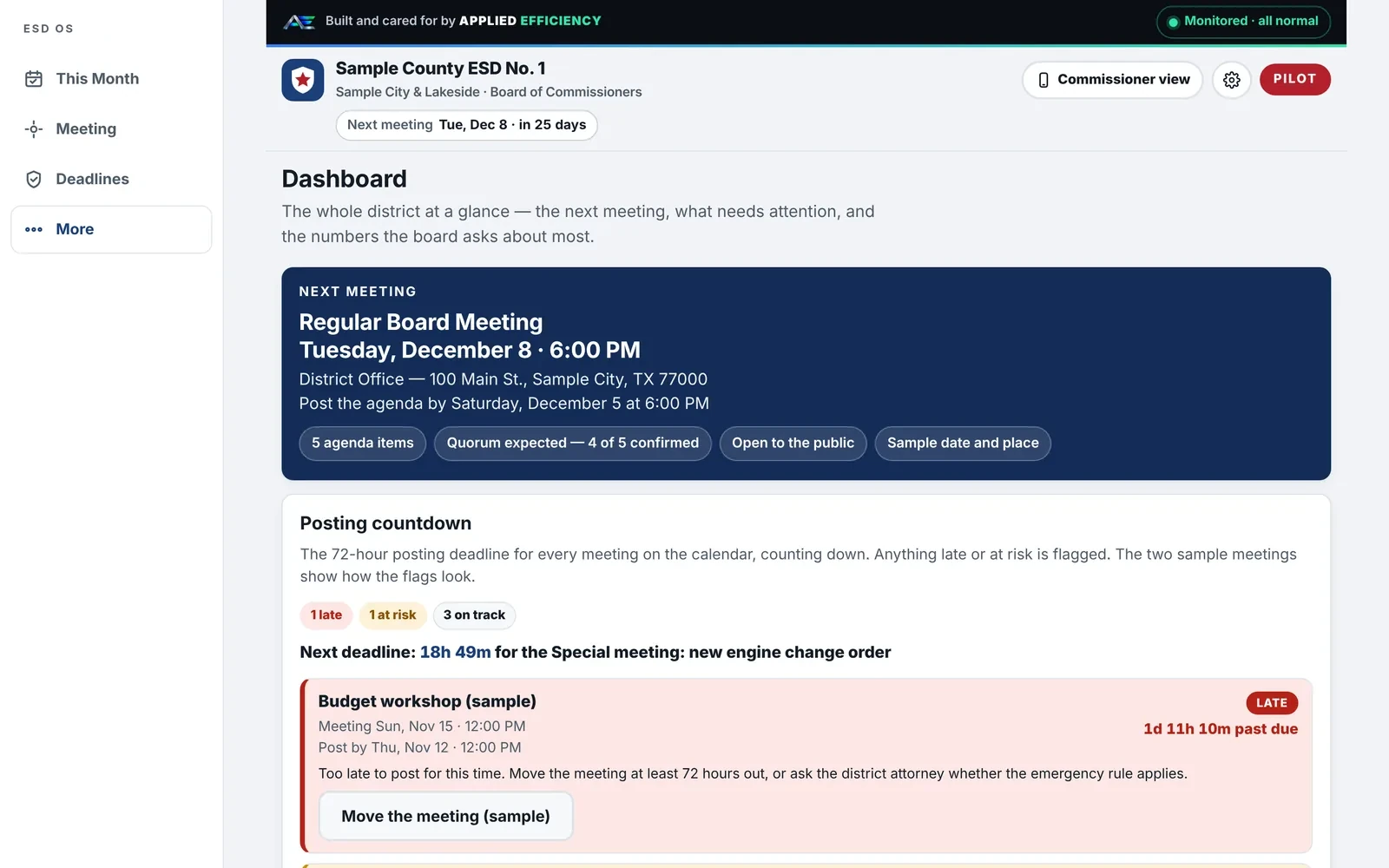
Meeting dashboard
Every upcoming meeting, deadline and open item on one screen.
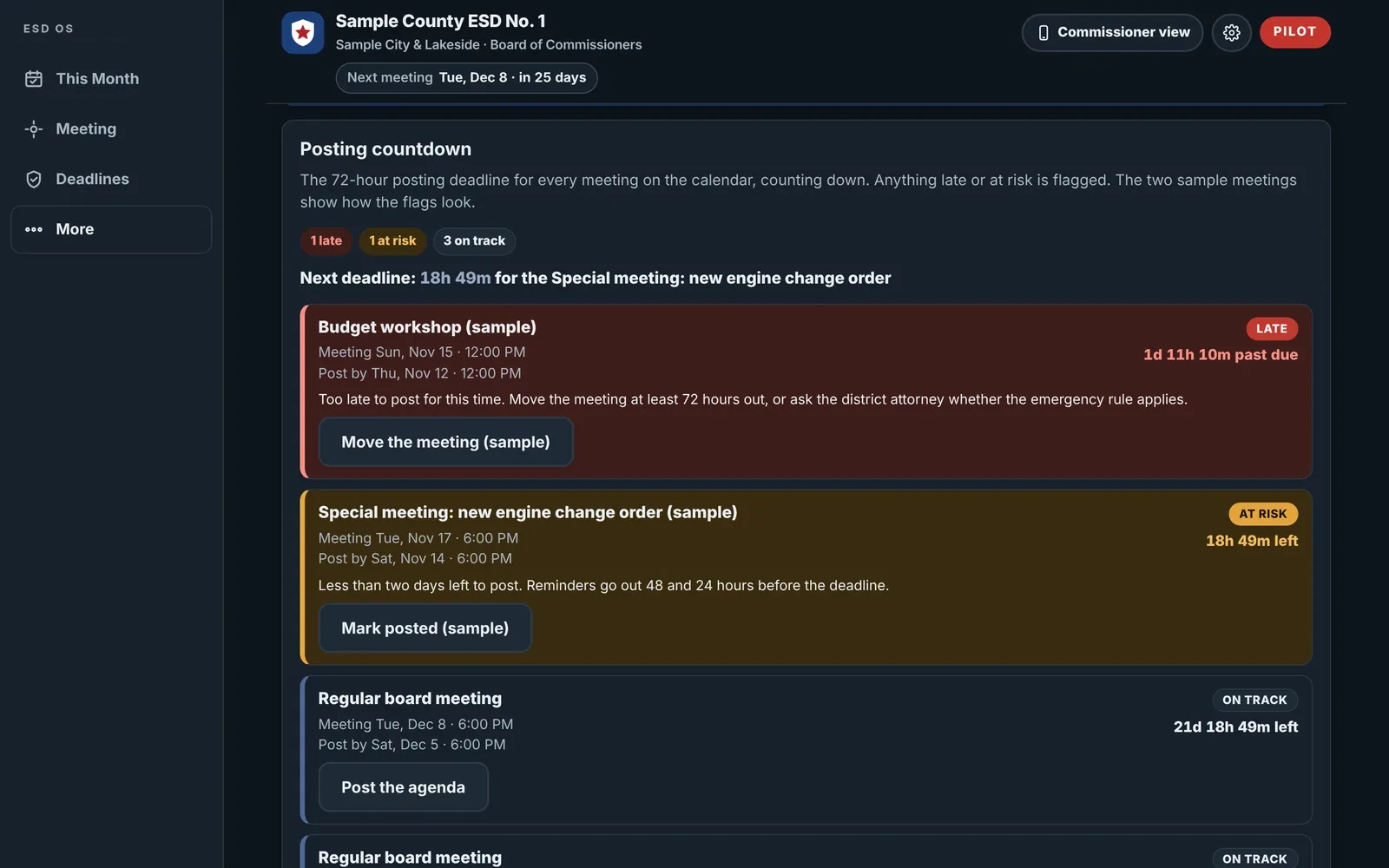
72-hour posting countdown
Flags each meeting as Posted, On track, At risk or Late under the Open Meetings Act.
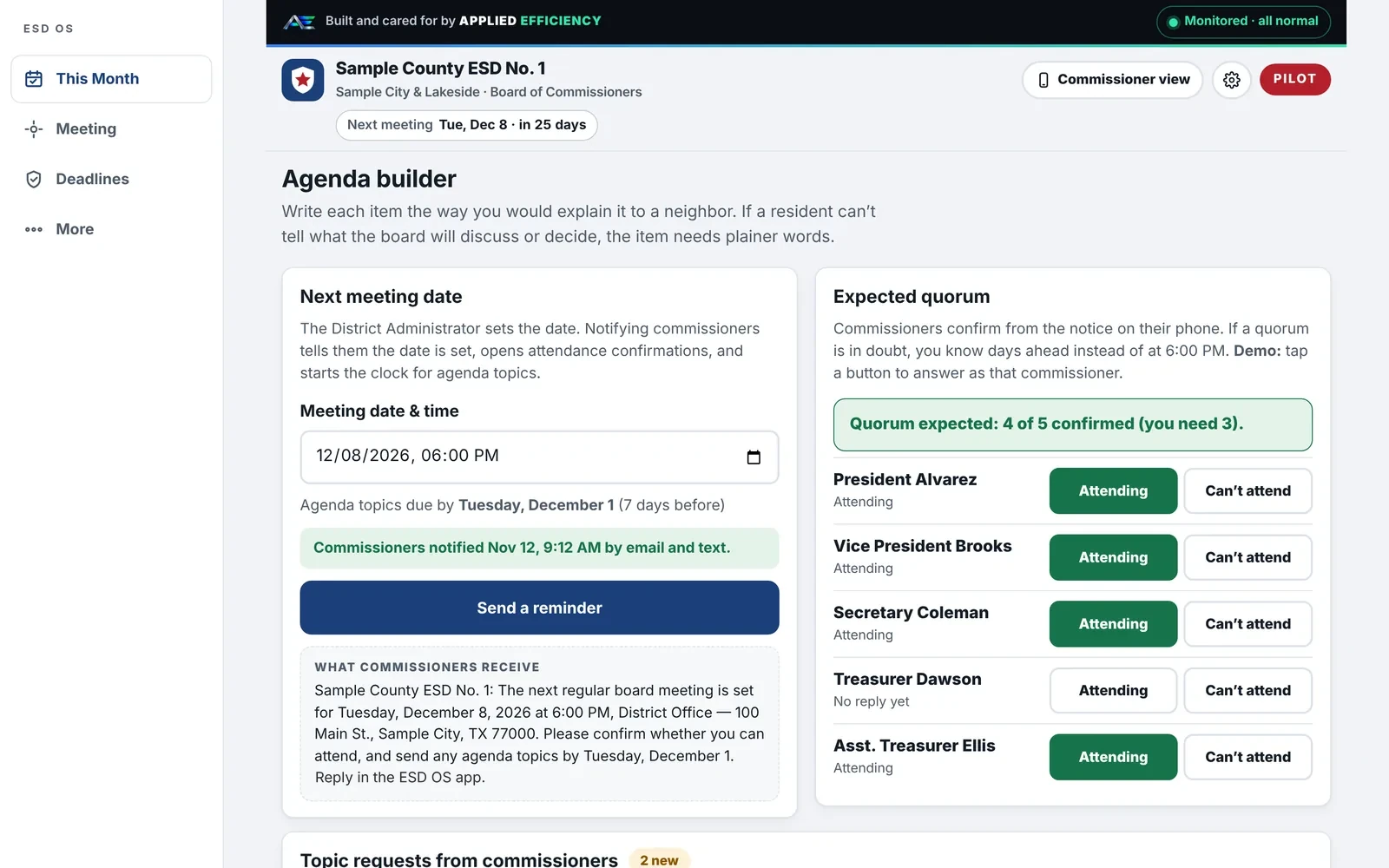
Agenda builder
Set the meeting once, build the agenda and notify commissioners automatically.
Post to website
Publish agendas and notices to the district's site in one step.
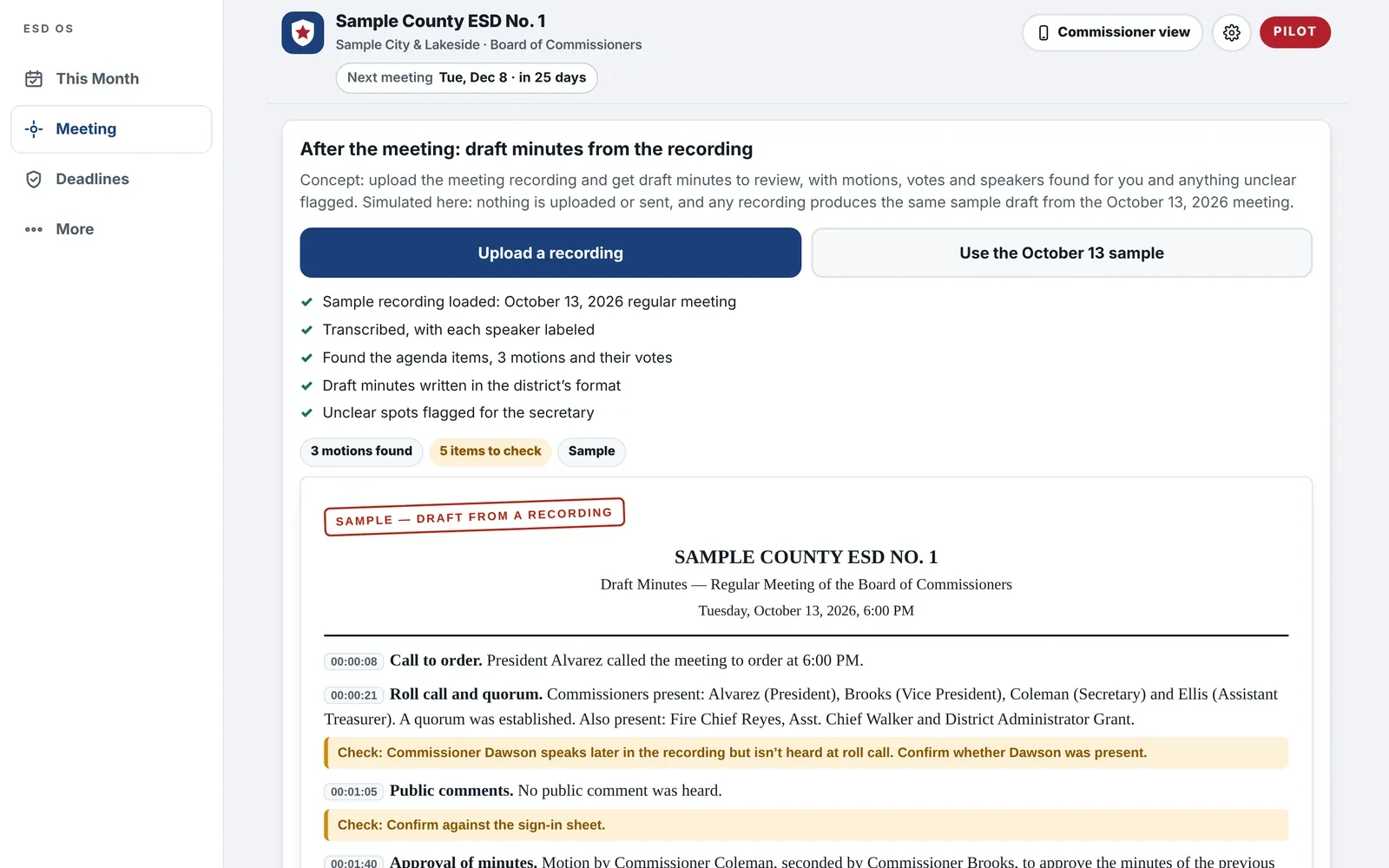
Draft minutes from a recording Coming soon
Upload meeting audio and get time-stamped draft minutes with motions and votes for the secretary to approve.
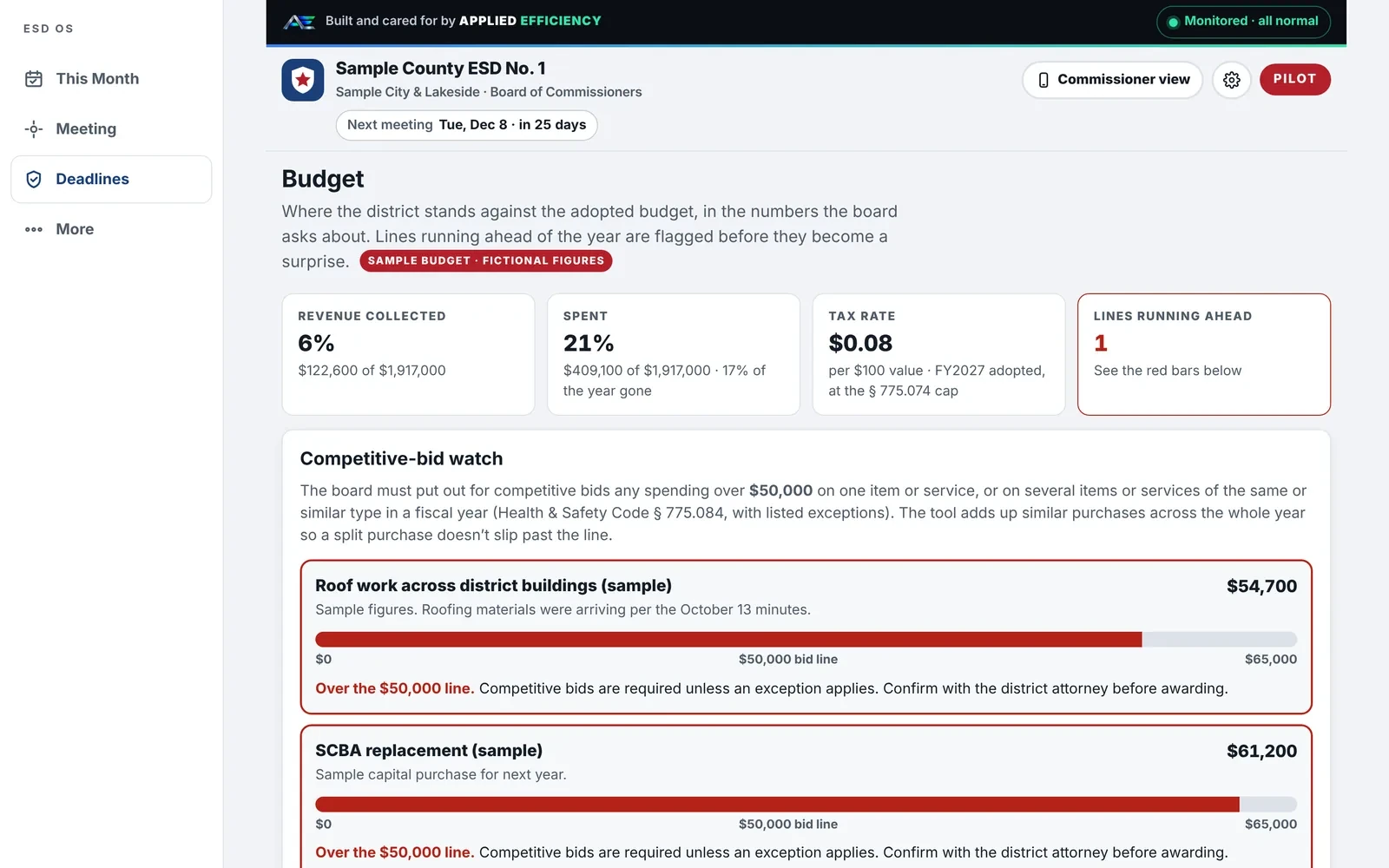
Budget watch
Budget against actuals, with alerts as purchases near the bid limit.
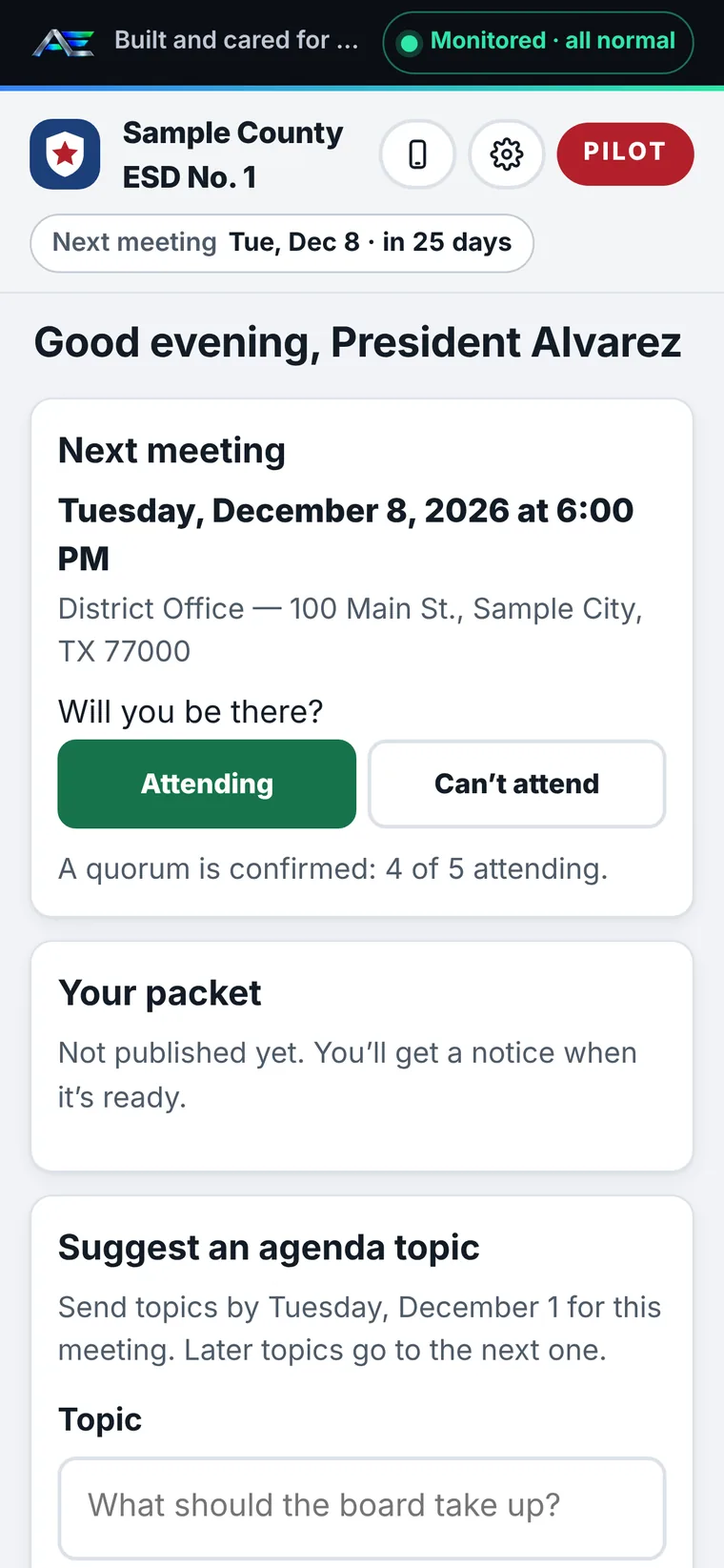
Commissioner phone view
RSVP, read packets and review items from any phone or computer.
Light and dark mode
Easy to read in a bright office or a dim meeting room.
Screens
A look inside
Every screen below shows a fictional district, Sample County ESD No. 1, with sample names, dates and figures.
Agenda builder
The administrator sets the date once. Commissioners get the notice by email and text, confirm attendance from their phone, and quorum shows days ahead instead of at 6:00 PM.
Budget watch
Where the district stands against the adopted budget, in the numbers the board asks about. Similar purchases are added up across the year, so a split purchase can't slip past the bid line.
Commissioner phone view
Commissioners RSVP, read their packet and suggest agenda topics from a phone or computer.
Draft minutes from a recording Coming soon
Upload the meeting recording and get draft minutes in the district's format, with motions, votes and speakers found and unclear spots flagged for the secretary.
Dark mode
The same posting countdown in dark mode. Late meetings, meetings at risk and meetings on track stand apart at a glance.
Built for small districts that run on volunteers and part-time staff.
Start with a workflow audit. We look at how your board runs today and show where ESD OS fits.